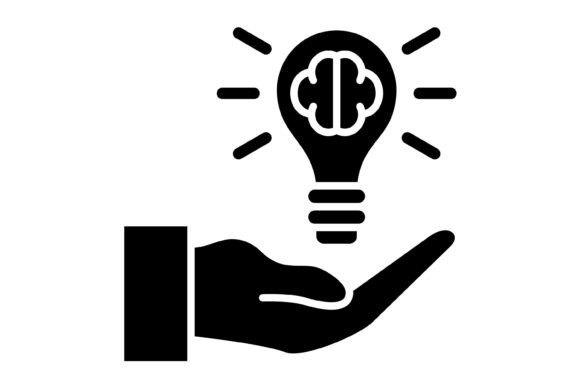
Unlocking Creativity with the Idea Glyph Icon Set
Every designer, entrepreneur, and content creator hits a wall where words aren't enough. You need a visual shorthand—a way to communicate "click here," "share this," or "new feature" without cluttering your layout. That is where the Idea Glyph Icon collection steps in. It is more than just a set of pictures; it is a comprehensive toolkit designed to streamline your workflow and elevate your visual communication. When you open the included ZIP file, you are greeted with five distinct file formats: AI, EPS, JPG, PNG with a transparent background, and SVG. This versatility ensures that no matter what software you use, from Adobe Illustrator to simple drag-and-drop website builders, you have a file ready to go.
The Anatomy of a Functional Icon Set
What makes a good icon? It isn't just about looking pretty. It is about immediate recognition. The Idea Glyph Icon set is built on the principle of "maximum usability." These are 100 vector icons, meaning they are constructed using mathematical paths rather than pixels. This distinction is crucial. Whether you are designing a massive billboard or a tiny favicon for a browser tab, vector graphics ensure the lines remain crisp and the curves smooth. There is no pixelation, only clarity.
The visual style of this collection leans heavily into the "glyph" aesthetic. Think of them as modern typography’s best friend. They are often monochromatic, solid, and weighty, designed to sit comfortably next to text without overwhelming it. This makes them a perfect match for web design and mobile apps, where screen real estate is precious. If you are building a user interface, you need icons that are distinct enough to be tapped by a thumb on a smartphone screen, yet sophisticated enough to look professional on a desktop monitor. The Idea Glyph Icon set achieves this balance, acting as a bridge between logo design elements and functional UI components.
Real-World Applications for Modern Creators
Let’s talk about practical application. If you are a small business owner launching a new product, consistency is your currency. You cannot afford to mix and match random icons found on the internet; that leads to a disjointed brand identity. By utilizing this set, you ensure that the icon representing "contact" on your website matches the style of the icon used on your "packaging design" or within your "social media graphics."
For the marketer or blogger, these assets are gold. Consider a long-form article or a presentation. Large blocks of text can be intimidating. By strategically placing relevant design assets from the Idea Glyph collection, you break up the text, creating visual anchors that guide the reader’s eye. It improves readability and keeps the audience engaged. Instead of a wall of text, you create a structured experience where the icons serve as headers or bullet points, reinforcing the message without adding noise.
Furthermore, the inclusion of SVG and PNG formats with transparent backgrounds makes these icons incredibly versatile for editorial design. You can overlay them on photography, use them as watermarks, or integrate them into complex infographics. Because they are "ready to use for all devices and platforms," you don't waste time converting files or removing white backgrounds in Photoshop. You simply drag, drop, and create.
Integrating Icons into Your Design Strategy
Choosing the right design assets requires a strategic eye. When you evaluate the Idea Glyph Icon set, look at how the weight of the icons interacts with your chosen typeface. If you are using a light, airy sans serif font for your body copy, a heavy glyph icon might provide a nice contrast for a call-to-action button. Conversely, if your brand identity is bold and loud, these icons can stand up to that energy without getting lost.
A common mistake in web design and print is using icons that are too detailed. When scaled down, details become mud. The strength of the Idea Glyph Icon lies in its simplicity. It is a premium font alternative for visual communication—clean, scalable, and professional. Whether you are a crafter making labels for handmade goods or a publisher laying out a digital magazine, these icons provide that layer of polish that separates amateur work from professional output. They are not just pictures; they are the connective tissue of your visual language.