Streamlining Your Creative Workflow with the Flask Glyph Icon Pack
In the world of digital design and development, consistency and efficiency are not just goals—they are necessities. Whether you are a freelancer building a client portal, an entrepreneur launching a mobile app, or a marketer designing a presentation, the assets you choose define the quality of your output. The Flask Glyph Icon set is designed to bridge the gap between raw concept and polished execution. It is not merely a collection of images; it is a structured toolkit intended to integrate seamlessly into your professional workflow, ensuring that your visual language remains coherent across every platform and device.
Understanding the Asset: More Than Just Graphics
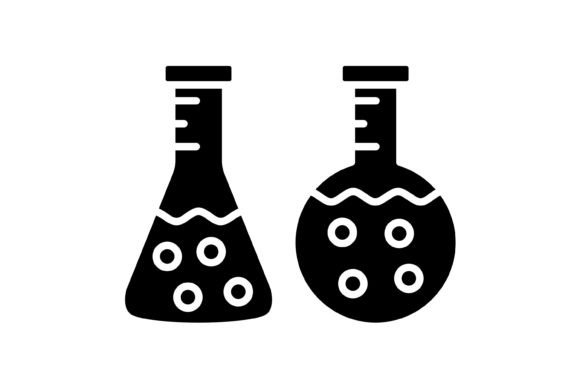
At its core, the Flask Glyph Icon pack is a comprehensive set of 100 vector icons. However, the true value lies in the versatility of the package. When you download the zip file, you are not receiving a single, restrictive file type. Instead, the pack includes five different formats: AI, EPS, JPG, PNG, and SVG. This variety is intentional, designed to ensure that you can use the icons regardless of the software stack you prefer or the specific requirements of your project.
The inclusion of SVG (Scalable Vector Graphics) and PNG files with transparent backgrounds is particularly critical for modern web and mobile development. The SVG format allows for infinite scaling without loss of quality, which is essential for responsive design where icons must look sharp on everything from a small smartphone screen to a 4K monitor. The transparent PNGs are ready to drop into presentations or design software like Canva or Photoshop without the need to manually remove white backgrounds, saving you valuable time during the asset preparation phase.
Integration into the Design Phase
For designers, the workflow usually begins with planning the layout and user interface (UI). This is where the AI (Adobe Illustrator) and EPS files come into play. These vector formats are the industry standard for professional graphic design. If you are creating a website template or a mobile app interface, you can import the AI files directly into your working canvas.
Because the Flask Glyph Icon set is designed for maximum usability, the icons follow a consistent grid and style. This eliminates the visual dissonance that often occurs when mixing assets from different sources. When you use these icons during the prototyping stage, you ensure that the transition from wireframe to high-fidelity mockup is smooth. You can easily edit colors, stroke weights, or shapes to match your specific brand guidelines before the asset ever reaches the developer.
Practical Application Across Platforms
The versatility of the Flask Glyph Icon extends beyond the design studio. For developers and programmers, the SVG format is the gold standard for web implementation. SVGs are code-based, meaning they load faster than raster images and can be manipulated with CSS. This allows for dynamic interactions, such as changing the icon color when a user hovers over a button or adding animations for better user engagement.
Consider the process of building a dashboard for a business application. You need icons for navigation, status indicators, and action buttons. Using the Flask Glyph set, a developer can implement a sprite sheet or individual SVG components directly into the codebase. This ensures that the icons render perfectly on iOS, Android, and web browsers, maintaining the integrity of the "ready to use for all devices" feature.
For those involved in content creation and education, the JPG and PNG formats offer immediate utility. Educators creating slide decks or bloggers writing tutorials often need simple, recognizable icons to break up text and illustrate points. The Flask Glyph icons are designed with clear, distinct shapes that convey meaning quickly, aiding in the retention of information for the audience.
Optimizing the Production Process
One of the most significant pain points in creative production is the "cleanup" phase—fixing pixelated images, removing backgrounds, or resizing assets that don't fit the grid. The Flask Glyph Icon pack is engineered to minimize this friction.
- Scalability: Because they are 100% vector-based at their origin, you can scale the icons for print materials, such as brochures or business cards, without worrying about resolution issues.
- Editability: The "easy to edit" feature means you are not locked into a static design. If a client requests a thicker stroke or a different color palette, you can make these adjustments in seconds using vector software.
- Organization: Having the icons organized in a single zip file with distinct formats helps in version control. You can keep the master vectors in your archive while deploying the optimized PNGs or SVGs to the live environment.
Long-Term Usability and Brand Consistency
When building a brand or a product, consistency is the currency of trust. Users expect a cohesive visual experience. If your website uses one style of icon, your mobile app uses another, and your PDF guides use a third, the user experience feels fragmented and unprofessional.
By adopting the Flask Glyph Icon set as your standard, you create a unified visual language. This is particularly useful for small business owners and freelancers who may not have a dedicated design team. You can use the same icon set for your social media graphics (using the JPGs), your website footer (using the SVGs), and your pitch decks (using the EPS files). This cross-platform consistency elevates the perceived quality of your brand.
Furthermore, the 100 vector icons included provide a broad enough library to cover most standard UI needs without becoming overwhelming. This curated approach helps prevent "decision fatigue," allowing you to focus on the content and functionality of your project rather than sifting through thousands of irrelevant icons.
Workflow Example: Launching a New Feature
Imagine you are a product manager overseeing the launch of a new feature in a productivity app. The workflow might look like this:
- Planning: You select the relevant Flask Glyph icons to represent the new feature in internal documentation and wireframes.
- Design: Your UI designer imports the AI files to create high-fidelity screens, adjusting the colors to match the "dark mode" theme of the app.
- Development: The frontend developer takes the optimized SVG files and implements them into the app interface, ensuring they are accessible and lightweight.
- Marketing: The marketing team uses the PNG versions of the icons to create announcement graphics for the website and email newsletters.
In this scenario, the Flask Glyph Icon pack acts as the connective tissue between different departments and stages of the project. It ensures that everyone is speaking the same visual language, from the initial sketch to the final user interface.
Conclusion
The Flask Glyph Icon is more than a decorative element; it is a functional asset designed for the realities of modern digital production. By providing multiple file formats, transparent backgrounds, and vector scalability, it addresses the technical requirements of developers and the aesthetic needs of designers. For the entrepreneur, the educator, or the freelancer, it offers a reliable, professional foundation for any visual project. Integrating these icons into your workflow is a simple step that can significantly enhance the quality, consistency, and efficiency of your work.