Understanding the Delete Glyph Icon: A Practical Guide to Versatile File Formats
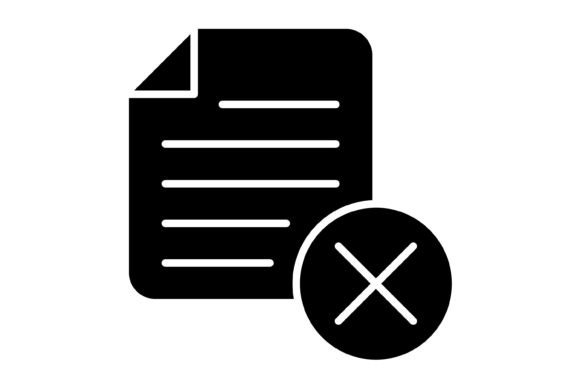
In the world of digital design and user interface development, the clarity of an action is paramount. Few actions are as critical—or as potentially irreversible—as deletion. The Delete Glyph Icon serves as the universal visual shorthand for this function, but its utility extends far beyond a simple "X" or trash can symbol. When evaluating design assets, particularly those intended for cross-platform consistency, the specific characteristics of the icon, including its stylistic approach and the diversity of its file formats, determine its true value.
This article explores the specific utility of the Delete Glyph Icon, analyzing its design philosophy and the practical implications of its included file formats. For professionals ranging from mobile app developers to presentation designers, understanding these nuances is essential for selecting the right resource for the job.
The Visual Language of Deletion
The term "glyph" refers to the specific shape, form, or representation of a character. In the context of icons, a glyph style usually implies a design that is rooted in typography or simple, monolinear geometry. Unlike photorealistic or heavily skeuomorphic designs, a glyph-style Delete Icon relies on minimalism and high contrast. This distinct aesthetic choice offers several advantages in modern interface design.
First, glyph icons possess a "timeless" quality. Design trends fluctuate between heavy gradients and flat design, but a clean glyph typically remains aesthetically relevant regardless of the current fashion. Second, the simplicity of a glyph ensures that the Delete Glyph Icon maintains its legibility at very small sizes. When a user is managing a list of files on a mobile screen, a complex icon may become muddy and unreadable; a glyph, however, retains its sharp edges and clear intent.
Deciphering the File Formats: AI, EPS, JPG, PNG, and SVG
A common point of confusion for those evaluating design assets is the necessity of multiple file formats. A high-quality resource package does not simply provide one image; it provides a toolkit. The inclusion of AI, EPS, JPG, PNG, and SVG formats in a single zip file addresses different stages of the design and development pipeline.
Vector vs. Raster: The Core Distinction
The most significant comparison to make is between vector and raster formats. The Delete Glyph Icon package includes both, catering to different needs.
- Vector Formats (AI, EPS, SVG): These files use mathematical equations to draw lines and curves. They are infinitely scalable. Whether you need the icon for a tiny favicon or a massive billboard print, the vector version will remain crisp. The AI (Adobe Illustrator) and EPS formats are industry standards for professional print workflows and logo design. SVG (Scalable Vector Graphics) is the standard for web development, offering small file sizes and the ability to manipulate the icon via code (CSS).
- Raster Formats (JPG, PNG): These files are made of pixels. While they cannot scale up without losing quality, they are universally compatible with software that cannot handle vector code, such as basic email clients or legacy systems.
The Importance of Transparency
A critical feature mentioned in the asset description is the Transparent Background available in the PNG format. In practical application, a Delete Icon is rarely placed on a solid white background. Whether overlaying a dark mode interface, a colorful dashboard, or a textured presentation slide, the PNG format allows the icon to blend seamlessly into the environment without a distracting white box surrounding it.
Practical Applications: Where the Delete Glyph Excels
The versatility of the Delete Glyph Icon makes it a strong candidate for a wide variety of projects. However, understanding where it fits best helps in resource allocation.
Mobile and Web Interfaces
For UI/UX designers, consistency is key. The glyph style is particularly suited for navigation bars, toolbars, and "swipe-to-delete" actions in mobile apps. Because the icon is designed for "maximum usability," it likely adheres to standard sizing grids (like the 24px or 32px grids common in Material Design or Human Interface Guidelines). This adherence ensures that the delete function feels native to the operating system, rather than looking like a foreign element pasted onto the screen.
Print and Presentation
While digital screens are the primary home for icons, print materials—such as instruction manuals, technical documentation, or educational handouts—often require visual aids to demonstrate software usage. The inclusion of vector formats ensures that the Delete Glyph Icon can be placed into a PDF or a PowerPoint presentation and scaled to fit the layout without pixelation. This is a distinct advantage over sourcing icons solely from web-only libraries that may only offer low-resolution PNGs.
Comparison and Tradeoffs
When comparing this specific icon set to other resources available on the market, several tradeoffs become apparent. It is important to weigh these factors based on the specific needs of your project.
Customizability vs. Convenience
The package boasts that it is "Easy to edit and scale." This is a significant benefit of vector-based glyph icons. If a designer needs to change the stroke weight of the Delete Glyph Icon to match a thicker font used elsewhere in the brand identity, they can do so easily in Adobe Illustrator. This level of control is superior to using an "icon font" (like Font Awesome), where customization is often limited to color and size, not shape.
However, there is a tradeoff in workflow. Using an external file (AI or SVG) requires a design tool. If a developer needs a quick icon and does not have access to Illustrator, they must rely on the pre-exported PNG or SVG files provided. Fortunately, the inclusion of the SVG format bridges this gap, allowing developers to drop the code directly into HTML.
Consistency in Design
One of the strengths of utilizing a dedicated glyph set is the assurance of visual harmony. When designers mix and match icons from different sources—perhaps a trash can from one site and an "X" from another—the result is often a disjointed user interface where line weights and corner radii differ. By using a set designed with "100 vector icons" that share a unified aesthetic, the Delete Glyph Icon ensures that the delete action looks related to the save, edit, and share actions.
Decision Factors: Is This the Right Choice?
To determine if this specific asset is the right investment, consider the following decision factors:
- Platform Agnosticism: If your project spans multiple platforms (e.g., an iOS app, an Android app, and a web portal), you need an icon that renders well on all. The SVG and PNG options cover this requirement effectively.
- Scalability Needs: If your design system requires icons to be used at various sizes—from 16px micro-icons to 64px feature icons—the vector nature of this set is essential.
- Editability: If you anticipate needing to modify the icon's shape to fit a unique brand style, the AI and EPS formats provide the necessary flexibility.
- Context of Use: The Delete Glyph Icon is best suited for clean, modern, and professional environments. If your project requires a highly stylized, cartoonish, or 3D aesthetic, a simple glyph may feel out of place.
Conclusion
The Delete Glyph Icon represents a fundamental building block of user interaction. Its value lies not just in its visual representation of "removal," but in the technical robustness of the file formats provided. By offering a mix of scalable vectors (AI, EPS, SVG) and universal rasters (JPG, PNG) with transparent backgrounds, it equips designers and developers with the tools necessary for a seamless workflow. For professionals prioritizing scalability, editability, and cross-platform consistency, this approach to iconography offers a practical and reliable solution.